Excel-photo
Overview
excel-photo converts any image into an .xlsx file
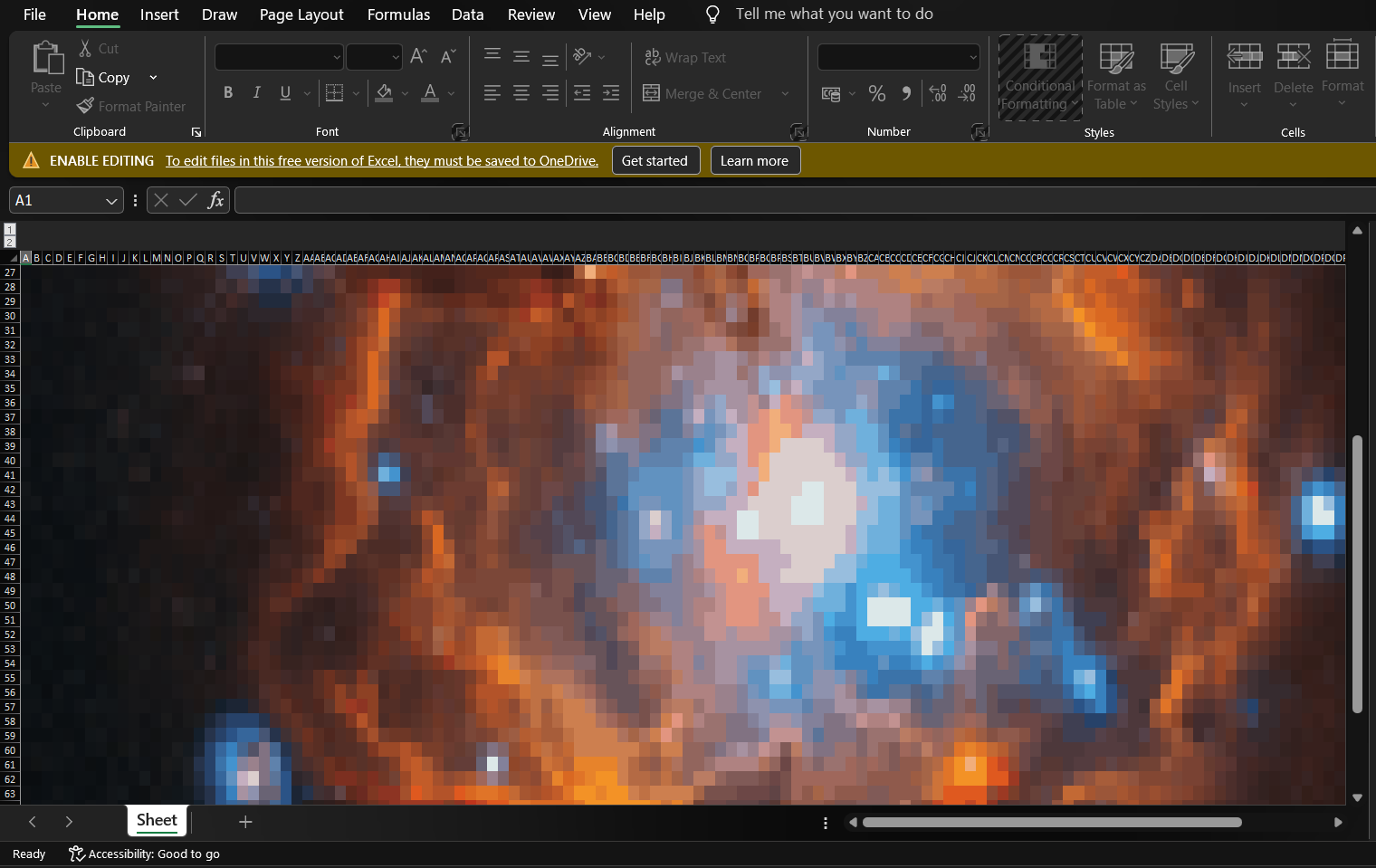
where the image is recreated using individually colored Excel cells.
Pixel art, but it's a spreadsheet.
Each pixel in the resized image becomes a cell whose background color matches the nearest color in a reduced palette. The result opens in any spreadsheet application and looks like the original image when zoomed out far enough.
Available as both a CLI tool and a Python library.
Published on PyPI under the package name excel-photo.
Usage
The tool can be used from the command line or imported directly into Python.
CLI
excel-photo input.png output.xlsx --max-dim 300 --max-colors 256Python
from excel_photo import image_to_excel

result = image_to_excel("input.png", "output.xlsx", max_dim=300, max_colors=256)
print(result)
# {'grid_width': 300, 'grid_height': 168, 'unique_colors': 249}
The return value reports the final grid dimensions and the number of unique colors used in the output.
Options
| Option | Default | Description |
|---|---|---|
max_dim |
100 | Longer side of the grid in cells. Controls output resolution. |
max_colors |
256 | Palette size (1–256). Keeps unique cell styles within Excel's 64,000-style hard limit. |
Notes
-
A
max_dimof 300–400 is a practical sweet spot — noticeable quality improvement over the default, still opens smoothly in Excel. - Beyond roughly 500–600, Excel becomes sluggish just from rendering that many individually styled cells, even though the file itself stays small.
- Unused columns past the image width are hidden so scrolling right stops cleanly at the image edge.
- Rows below the image are not hidden — Excel has no efficient bulk-range mechanism for rows, and attempting it would balloon the file size.
-
Excel hard-caps a workbook at 64,000 unique cell styles.
The
max_colorsoption exists specifically to keep the palette within that limit at higher resolutions.
Installation
pip install excel-photoScreenshots

Development Notes
The project is structured as a proper Python package with
src/excel_photo/ layout, a test suite, and
pyproject.toml for packaging.
The main constraint throughout was Excel's internal cell style limit.
Palette quantization via max_colors is the solution —
it reduces the number of unique background colors to a controllable ceiling
regardless of image resolution.